Table of contents
Getting started with Twitter (X) Audiences
Looking for what the Twitter (X) integration does? See the Twitter (X) + Klaviyo integration overview →
You will learn
Learn how to integrate Twitter (X) Audiences with Klaviyo. This integration allows you to automatically:
- Connect a Klaviyo list or segment to a Twitter (X) Audience
- Sync profiles from Klaviyo to Twitter (X) Audiences
Before you begin
To integrate with Twitter (X) Audiences, you need to set up an account with KAV Labs. KAV Labs is a tech company that builds integrations between Klaviyo and leading platforms across marketing, commerce, and data.
Create or login to your KAV Labs account here.
Pricing: $30 per month. A free 14-day trial is included—no credit card required.
Integrate Twitter (X) Audiences with Klaviyo
To integrate with Twitter (X) Audiences:
- Log into your KAV Labs account.
- Navigate to the Twitter (X) Audiences tab.
- Click Connect to Twitter Ads.
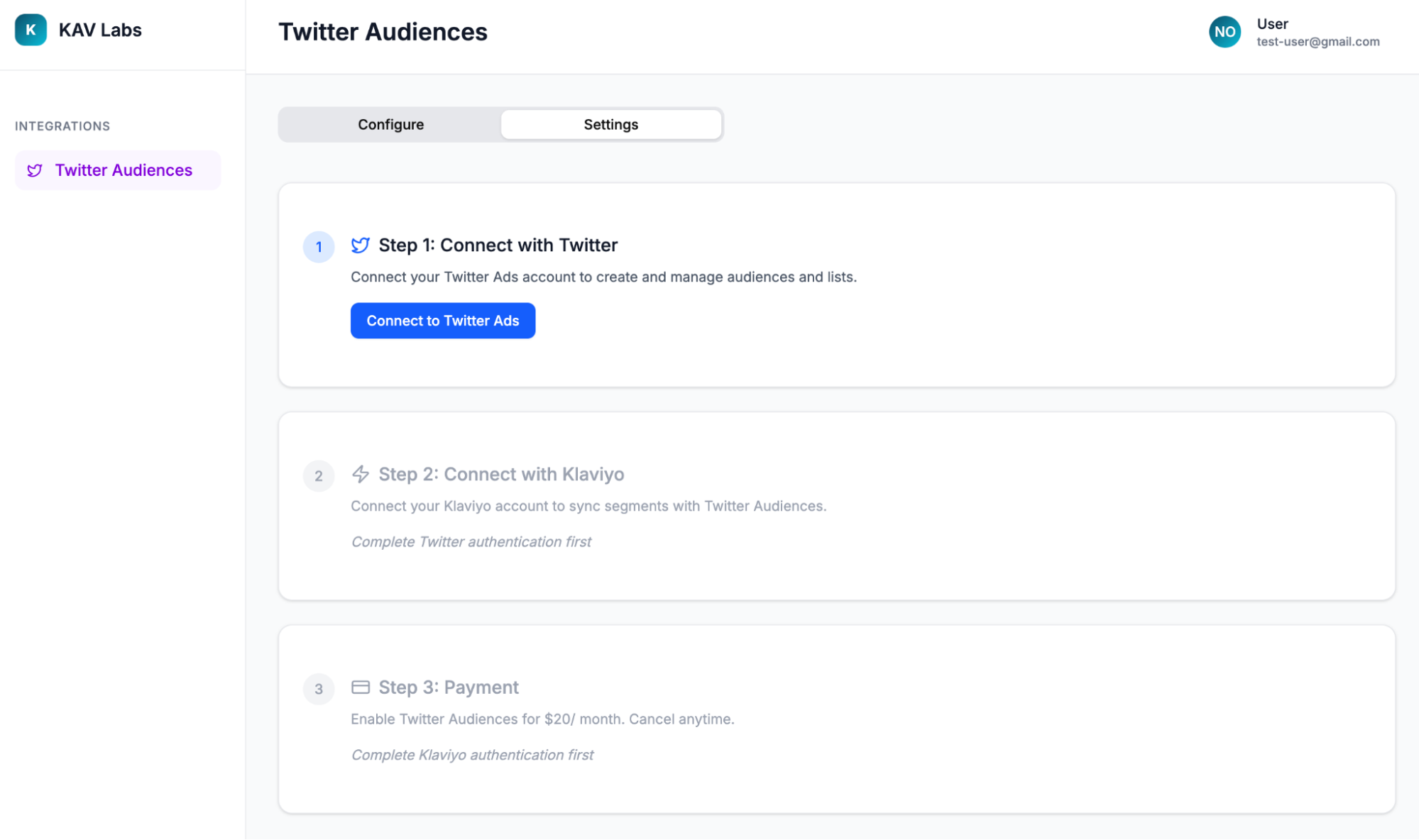
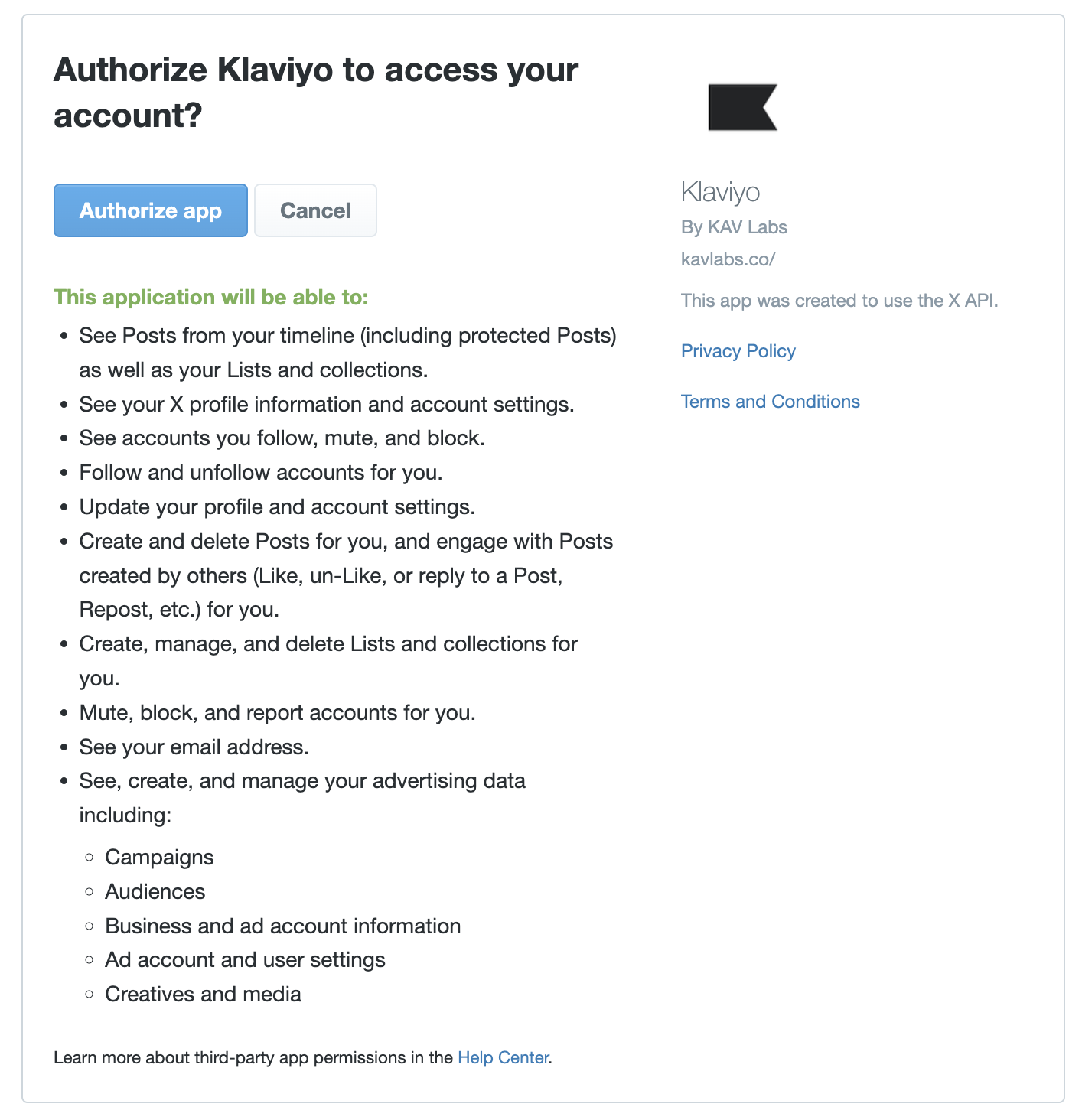
- Review the permissions then click Authorize App. You'll be redirected back to KAV Labs.
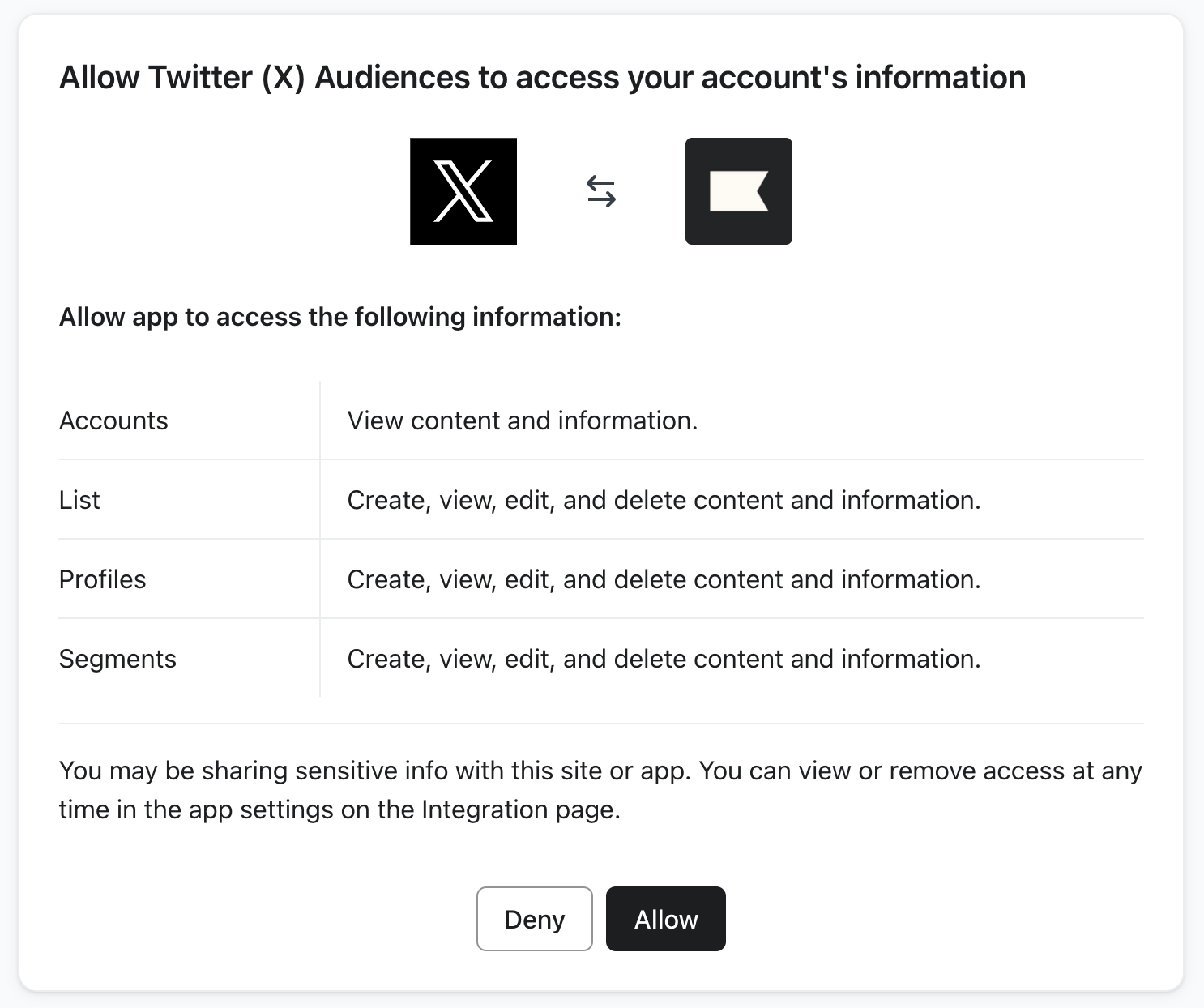
- Click Connect to Klaviyo. Review the permissions then click Allow. You'll be redirected back to KAV Labs.
- Select the Twitter Ads Account you want to integrate with. Note: this cannot change once selected.
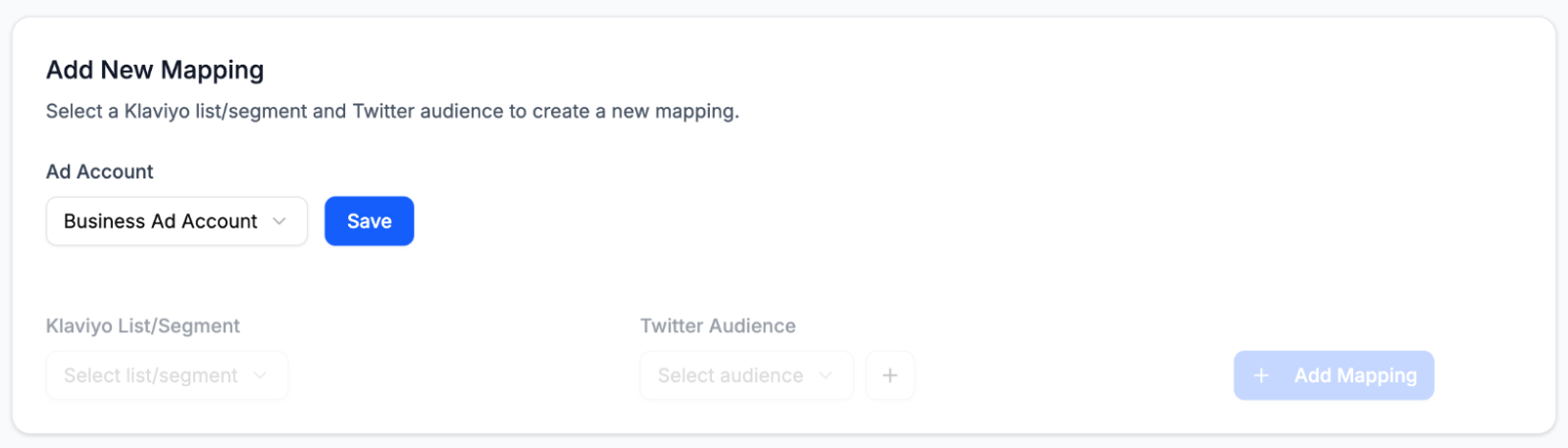
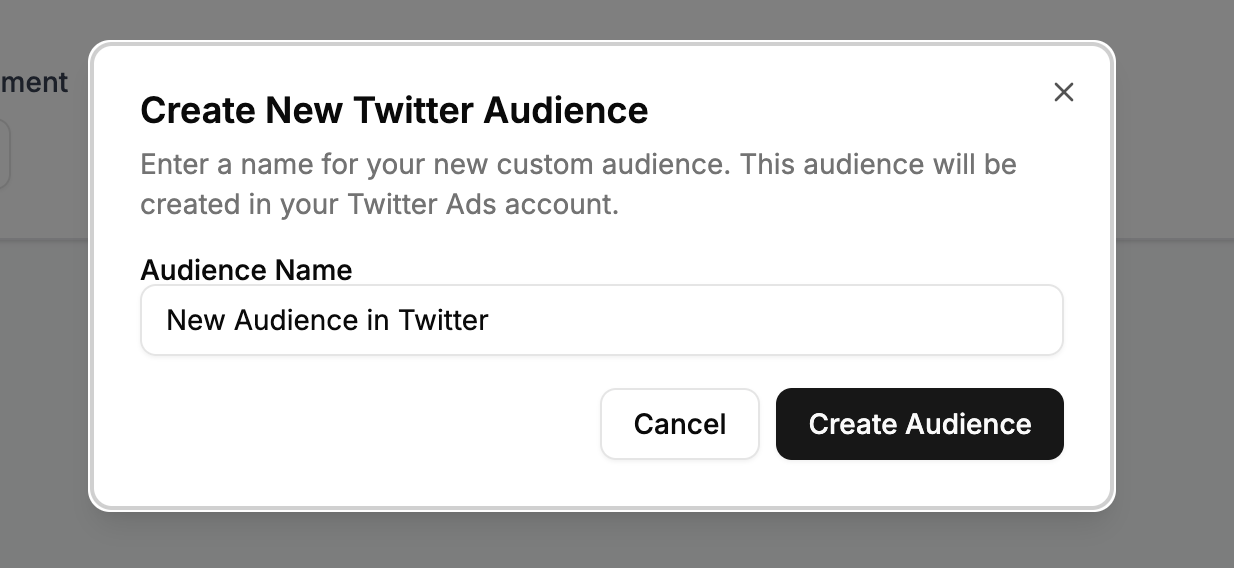
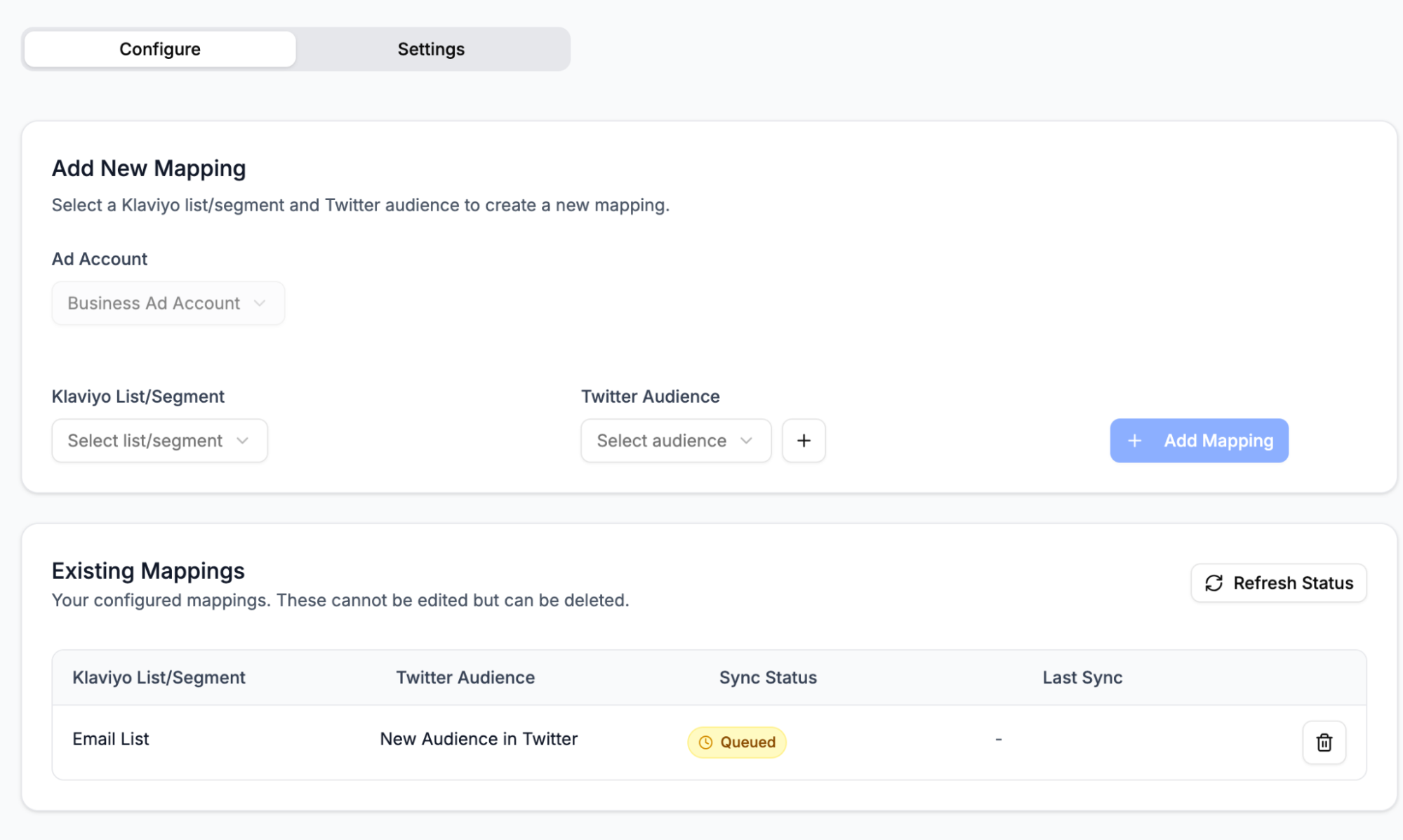
- Next, set up connections between Klaviyo lists/segments and Twitter audiences. Select a Klaviyo list or segment from the left hand dropdown, then select a Twitter audience to connect to on the right. To create a new audience in Twitter, select the + button next to the dropdown.
- Select Add Mapping and the integration will begin syncing your data.
How the integration works
Sync frequency:
- If you add a new connection, it may take up to 48 hours for the custom audience in Twitter to populate.
- Membership changes in your Klaviyo lists or segments (profiles being added or removed) may take up to 48 hours to be reflected in Twitter.
Sync behavior:
- This integration is a 1:1 sync; you cannot select the same Twitter audience for multiple Klaviyo lists or segments, and you cannot connect the same Klaviyo list or segment to multiple Twitter audiences.
- When a profile is added or removed from a Klaviyo list or segment, the corresponding Twitter audience will be updated accordingly.
- When you connect a Klaviyo list or segment to a Twitter audience, existing members will remain in that audience (you will not "overwrite" the Twitter audience by syncing profiles from Klaviyo).
Outcome
You've finished integrating Twitter (X) Audiences with Klaviyo, and can now begin using Klaviyo to help drive your advertising strategy on Twitter.
Looking for what the Twitter (X) integration does? See the Twitter (X) + Klaviyo integration overview →